Work directly in the GUI
Create “Personal Finance App,” add, move, and connect nodes yourself. Ask AI to Expand for scope or Deepen for detail, then accept, edit, or discard every suggestion.
How it works
Organize the map in the human-controlled GUI or talk with an Agent. AI helps Expand and Deepen; people decide what becomes true.
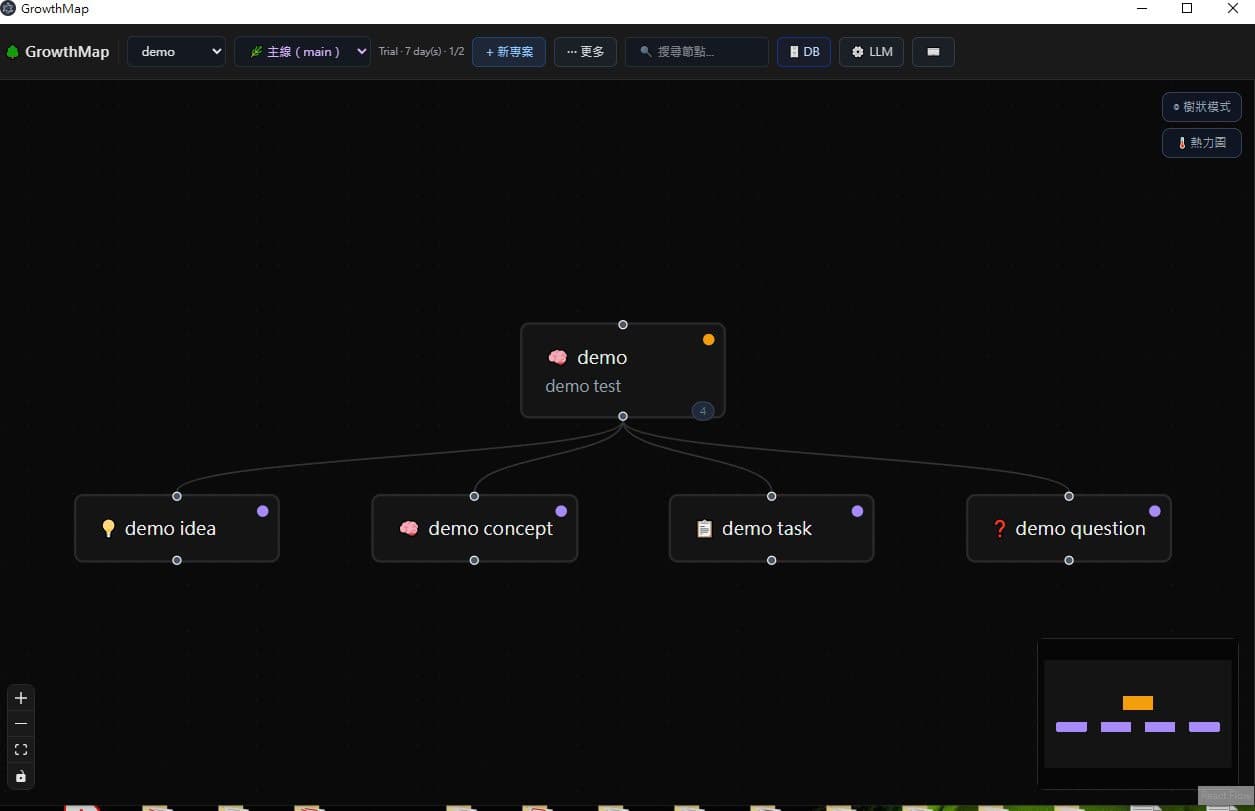
Create “Personal Finance App,” add, move, and connect nodes yourself. Ask AI to Expand for scope or Deepen for detail, then accept, edit, or discard every suggestion.
Describe the problem. The Agent records each confirmed goal, feature, decision, task, and risk as its own node while you correct the map.
Put “Quick entry,” “Monthly budget,” and “Data export” under the app. That parent-child structure is the Tree.
Connect “Data export” to “Privacy risk,” or “Monthly budget” to “Notifications.” Cross-tree relations form the Graph.
Make “manual entry first” the Mainline. Explore “bank import” in a Branch, then merge, keep, or archive it after validation.
Expand “Quick entry” into amount, category, date, notes, and validation. Suggestions remain reviewable.
Deepen “Monthly budget” into done criteria, constraints, dependencies, risks, alternatives, acceptance checks, and todos.
The nine node types are Idea, Concept, Module, Task, Question, Decision, Risk, Resource, and Note. Expand, Deepen, Mainline, and Branch retain these exact contract terms.
Projects use local SQLite, full JSON backup, and readable Markdown export. After selecting a node in the desktop app, E runs Expand and D runs Deepen.
The project DB stays local. Expand and Deepen send only the selected node and context needed for the request to the model provider configured by the user; this website receives none of it. The provider may process it under its policy. Agent Port neither executes models nor stores agent API keys. See Security.